Transform Text Case in One Click
📥 Install from Chrome Web Store
Instantly switch between 14+ text case formats with a single click. Whether you’re coding, writing, or posting online, Case Converter makes text formatting quick, easy, and consistent.
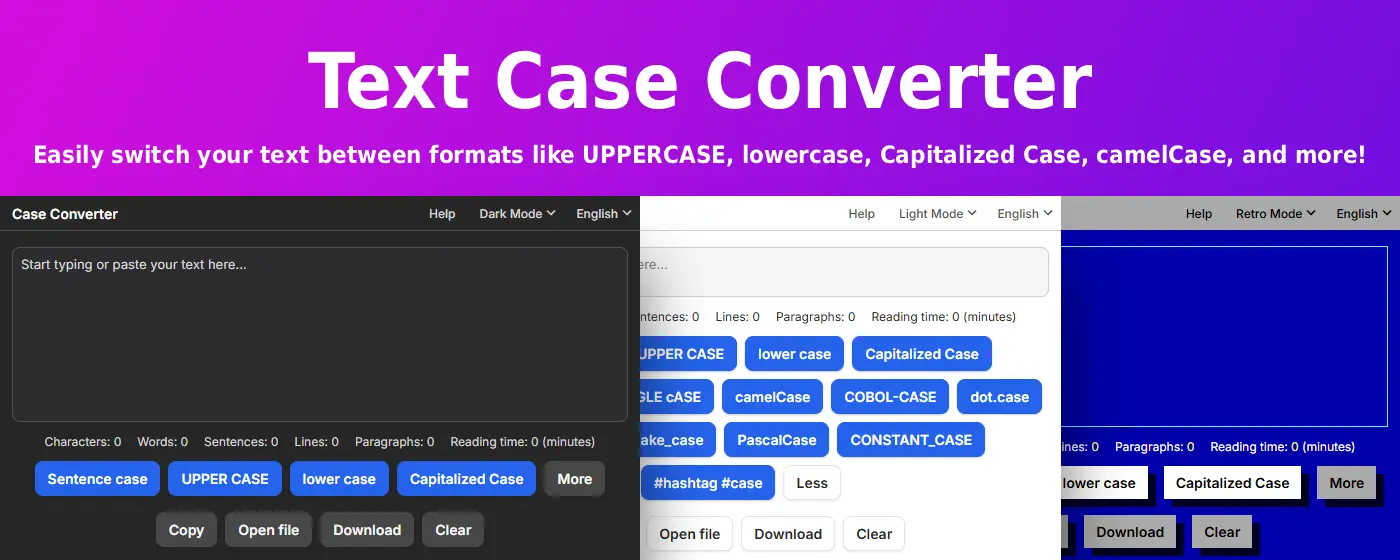
Writing & General Use
- Sentence case – Capitalizes only the first word of each sentence
- UPPER CASE – Converts all letters to uppercase for emphasis
- lower case – Converts all letters to lowercase for simplicity
- Capitalized Case – Capitalizes the first letter of every word (Title Case)
- aLtErNaTiNg cAsE – Alternates between uppercase and lowercase letters
- tOGGLE cASE – Reverses the case of each letter
Programming & Development
- camelCase – Joins words with lowercase first word and capitalized inner words
- PascalCase – Like camelCase, but the first word is also capitalized
- snake_case – Joins words with underscores in all lowercase
- kebab-case – Joins words with hyphens in all lowercase
- dot.case – Joins words with dots in all lowercase
- COBOL-CASE – Joins words with hyphens in all uppercase
- CONSTANT_CASE – Uses underscores and uppercase letters throughout
Social Media
- #hashtag #case – Turns words into lowercase hashtags
Key Features
🚀 Lightning Fast Conversion
- Instant transformation – Convert text between any format with one click
- Real-time preview – See changes as you type
- Batch processing – Convert large blocks of text at once
- No delays – Works instantly without loading times
📋 Powerful Input/Output Options
- Copy to clipboard – One-click copy for immediate use
- File upload – Open and convert text files directly
- Download as .txt – Save converted text for later
- Clear instantly – Reset your workspace with one click
🎯 Developer-Friendly
- Variable naming – Quickly convert between camelCase, snake_case, and PascalCase
- Constant formatting – Transform text to CONSTANT_CASE or COBOL-CASE
- Code formatting – Perfect for refactoring and naming conventions
- Multi-format support – All major programming case styles included
🔒 Privacy Focused
- Local processing – All conversion happens in your browser
- No data collection – We never see or store your text
- Offline capable – Works without internet connection
- Zero tracking – No analytics or third-party scripts
Perfect For
Developers & Programmers
- Converting variable names between conventions
- Formatting constants and function names
- Refactoring code with consistent naming
- Creating API endpoints and database fields
Writers & Content Creators
- Formatting titles and headings
- Converting all-caps text to readable case
- Creating consistent headline styles
- Fixing accidentally toggled caps lock text
Social Media Managers
- Generating hashtags from phrases
- Formatting post content
- Creating consistent brand voice
- Converting text for different platforms
Students & Researchers
- Formatting citations and references
- Converting notes between styles
- Creating consistent document formatting
- Fixing copy-paste formatting issues
Common Use Cases
Code Refactoring
my awesome variable  →  myAwesomeVariable (camelCase)
my awesome variable  →  MyAwesomeVariable (PascalCase)
my awesome variable  →  my_awesome_variable (snake_case)
my awesome variable  →  MY_AWESOME_VARIABLE (CONSTANT_CASE)
Content Formatting
SHOUTING TEXT        →  Shouting Text (Capitalized)
random CaPiTaLs      →  random capitals (lowercase)
untitled document    →  Untitled Document (Title Case)
Social Media
trending topic now   →  #trending #topic #now (hashtag case)
brand announcement   →  BRAND ANNOUNCEMENT (UPPERCASE)
Why Choose Case Converter?
⚡ 14+ Formats – The most comprehensive case converter available
🎯 One-Click Conversion – No complex menus or settings
💼 Professional Grade – Built for developers and content professionals
🔓 Always Free – Full functionality with no premium tiers
🛡️ Privacy First – Your text never leaves your browser
How It Works
- Enter or paste text – Type directly or upload a file
- Choose your format – Select from 14+ case options
- Instant conversion – See results immediately
- Copy or download – Use your formatted text anywhere
Pro Tips
For Developers:
- Use kebab-case for CSS class names and file names
- Use snake_case for Python variables and functions
- Use camelCase for JavaScript variables
- Use PascalCase for React components and class names
- Use CONSTANT_CASE for environment variables
For Writers:
- Use Sentence case for natural, readable content
- Use Capitalized Case for titles and headings
- Use lowercase for email addresses and usernames
- Use UPPERCASE sparingly for emphasis
🚀 Install now and never manually retype text case again!
Quick Start Guide
- Click the extension icon in your Chrome toolbar
- Enter your text – Type, paste, or upload a file
- Select case format – Choose from 14+ options
- Copy or download – Get your formatted text instantly
No registration required. No learning curve. Just instant, accurate case conversion.